



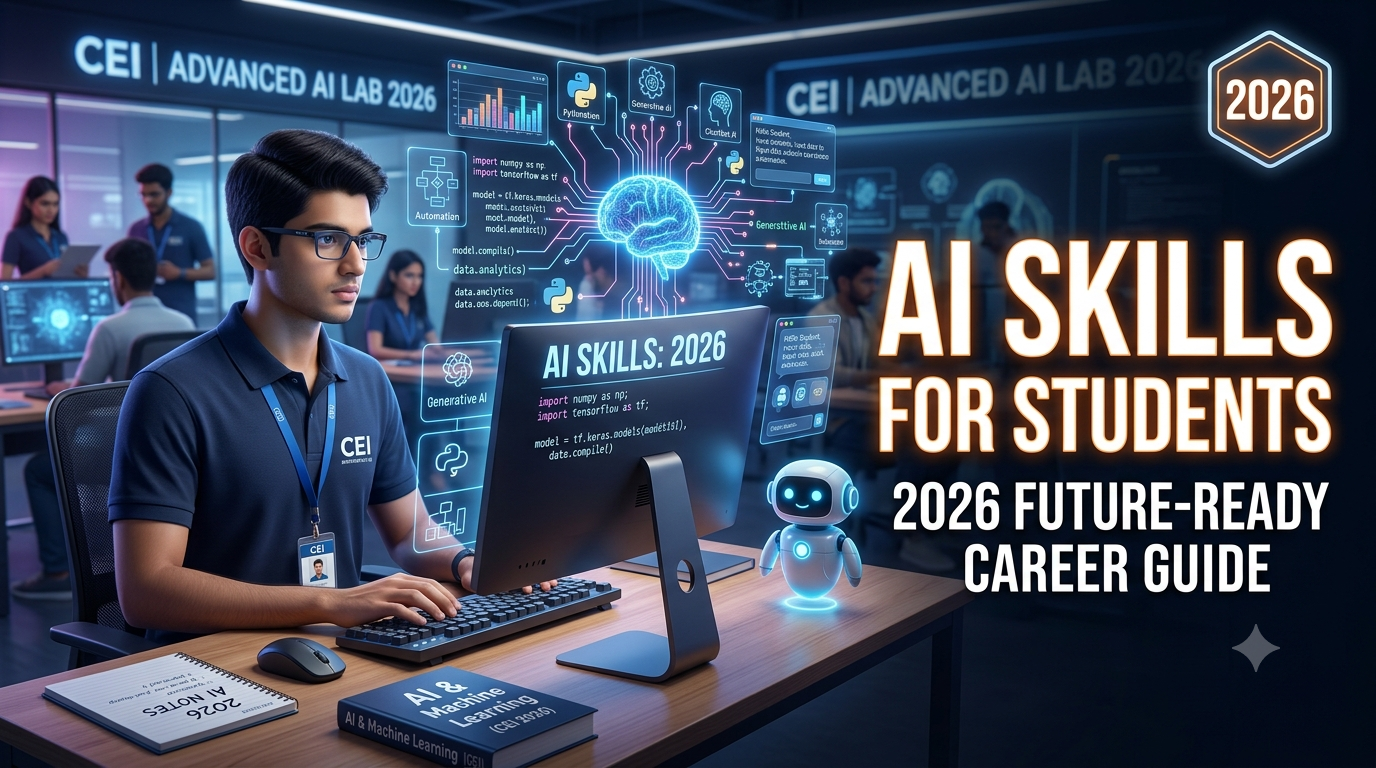
Introduction: Why AI Skills Matter for Students in 2026
Artificial Intelligence is no longer something that belongs only to scientists, software engineers or large technology companies.
In 2026, AI is becoming part of everyday study, communication, coding, research, design, business and professional work. Students are already using AI-powered tools to understand difficult topics, generate ideas, improve writing, analyze information, create presentations and learn programming.
But there is an important difference between using AI and having AI skills.
Anyone can type a question into an AI chatbot and copy the answer. That does not necessarily mean the person understands AI.
A future-ready student needs to know:
- How AI works at a basic level
- How to ask AI the right questions
- How to verify AI-generated information
- How to use AI for research and learning
- How to combine AI with coding and technology
- How to use AI responsibly
- How to protect personal and sensitive information
- How to solve problems instead of simply copying AI answers
- How to combine AI with human creativity and communication
UNESCO's AI Competency Framework for Students identifies competencies across human-centred thinking, AI ethics, AI techniques and applications, and AI system design, with progression from understanding to applying and creating.
This means the goal should not be to make students dependent on AI.
The goal should be to make students better thinkers, creators and problem-solvers with AI.
What Are AI Skills?
AI skills are the knowledge and practical abilities that help a person understand, use, evaluate and create solutions with Artificial Intelligence.
For a student, AI skills can range from simple everyday AI usage to advanced technical development.
For example:
Beginner level:
- Using AI chatbots
- Writing effective prompts
- Summarizing information
- Generating study questions
- Improving grammar
Intermediate level:
- AI-assisted research
- AI presentations
- AI image and content creation
- Data analysis
- AI-powered productivity
- AI automation
Advanced level:
- Python programming
- Machine learning
- AI APIs
- LLM applications
- AI agents
- RAG systems
- AI-powered web applications
The important thing is that students do not need to become AI engineers immediately.
They should gradually develop AI skills according to their age, education and career goals.
Why Should Students Learn AI in 2026?
The workplace is changing rapidly.
According to the World Economic Forum's Future of Jobs Report 2025, AI and big data are among the fastest-growing skill areas through 2030. At the same time, employers continue to value analytical thinking, creative thinking, resilience, flexibility, curiosity and collaboration.
This tells us something important:
The future is not simply about AI replacing people. It is increasingly about people who know how to work effectively with technology.
A student who combines:
Computer Skills + AI Skills + Communication + Problem Solving
can build a much stronger foundation for the future.
10 AI Skills Every Student Should Learn in 2026
1. AI Literacy
The first AI skill every student should develop is AI literacy.
AI literacy means understanding what Artificial Intelligence can and cannot do.
Students should understand basic concepts such as:
- Artificial Intelligence
- Machine Learning
- Generative AI
- Large Language Models
- Chatbots
- Computer Vision
- Natural Language Processing
- AI automation
- AI assistants
You don't need advanced mathematics to begin.
A student should first understand the basic idea:
Input → AI Processing → Output → Human Verification
For example, when a student asks an AI tool to explain photosynthesis, the AI generates an answer based on patterns learned from data.
But the student should still ask:
Is the answer correct?
That habit of verification is an important AI skill.
2. Prompt Engineering
One of the most useful practical AI skills for students is prompt engineering.
A prompt is the instruction you give to an AI system.
A weak prompt might be:
"Explain Python."
A better prompt could be:
"Explain Python programming to a Class 10 student in simple language. Give five real-life examples and then provide three practice questions."
The second prompt gives the AI more context and a clear objective.
Students should learn how to specify:
- Role
- Goal
- Context
- Output format
- Audience
- Restrictions
- Examples
Simple Prompt Formula
Role + Task + Context + Format + Goal
For example:
"Act as a computer teacher. Explain HTML to a Class 9 student who has never coded before. Use simple examples and finish with five practice questions."
Learning this skill can help students use AI much more effectively.
But prompt engineering should not become a shortcut for avoiding learning. Students should use AI to understand concepts, practice and improve—not simply submit AI-generated work as their own.
3. AI-Powered Research Skills
Students often spend a lot of time searching for information online.
AI can make research faster, but students need to know how to research responsibly.
A good AI research workflow is:
Step 1: Define the question
Clearly understand what you want to find.
Step 2: Ask AI for an overview
Use AI to understand the topic and identify important concepts.
Step 3: Find reliable sources
Do not automatically believe every AI-generated statement.
Check:
- Official websites
- Government sources
- Educational institutions
- Research papers
- Trusted publications
Step 4: Compare information
If an important fact appears questionable, verify it using another reliable source.
Step 5: Create your own understanding
Read the information and explain it in your own words.
This is much better than simply asking AI to "write my assignment."
4. AI for Writing and Communication
Communication remains extremely important even in an AI-driven world.
Students can use AI to improve:
- English grammar
- Vocabulary
- Writing structure
- Emails
- Presentations
- Essays
- Resume drafts
- Interview preparation
- Speaking practice
For example, a student learning English can ask AI:
"Correct my English conversation and explain my grammar mistakes in simple Hindi."
AI can act as a practice partner.
However, students should not stop writing themselves.
A better approach is:
Write → Get AI Feedback → Understand Mistakes → Rewrite
This develops real communication ability.
5. AI + Coding Skills
For students interested in technology, AI and programming are becoming increasingly connected.
Learning AI does not mean students must immediately become machine-learning experts.
A good progression can be:
Computer Basics → Programming Logic → Python → Data → AI → AI Applications
Python is particularly useful because it is widely used in programming, data analysis and AI-related development.
Students can start with:
- Variables
- Conditions
- Loops
- Functions
- Lists
- Dictionaries
- Basic problem solving
Then they can move toward:
- NumPy
- Pandas
- Data visualization
- APIs
- Machine learning concepts
- AI APIs
- Generative AI applications
Eventually, students can build projects such as:
- AI chatbot
- AI study assistant
- Question generator
- Resume assistant
- Simple recommendation system
- AI-powered website
The biggest advantage comes from building projects, not simply watching tutorials.
6. Data Analysis Skills
AI depends heavily on data.
That is why students interested in business, technology, finance or analytics should learn basic data skills.
Important skills include:
- Excel
- Advanced Excel
- Data cleaning
- Tables
- Charts
- Basic statistics
- SQL
- Python
- Data visualization
A student who knows both AI and data can understand not only how to generate an answer but also how to work with the information behind it.
For example, a student could analyze:
- School attendance
- Monthly expenses
- Sales data
- Survey results
- Exam marks
- Student performance
AI can help explain patterns, but the student should understand how the underlying data works.
7. AI Automation
Another important skill for 2026 is AI automation.
Automation means making technology perform repetitive tasks with minimal manual effort.
Students can learn to think:
"Which repetitive task can technology perform for me?"
For example:
Without automation:
Collect data → Read data → Organize data → Prepare report → Send report
With automation:
Collect data → Process automatically → Generate report → Notify user
AI can be combined with automation to create useful workflows.
Students interested in freelancing or business can eventually learn:
- APIs
- Webhooks
- Automation platforms
- AI APIs
- Database integration
- Workflow design
This can become a valuable practical skill.
8. AI Content and Creative Skills
AI is also changing how digital content is created.
Students interested in design, marketing or social media can learn AI-assisted:
- Image generation
- Presentation creation
- Video concepts
- Social media content
- Posters
- Storyboards
- Branding ideas
- Content planning
But creativity still matters.
AI can generate hundreds of ideas.
The human needs to decide:
Which idea is actually good?
Therefore, students should combine:
AI Tools + Design Basics + Creativity + Communication
instead of depending completely on generated content.
9. AI Ethics, Privacy and Responsible Use
This is one of the most important AI skills—and one that students sometimes ignore.
AI can be powerful, but it can also produce:
- Incorrect information
- Biased outputs
- Misleading content
- Fake images
- Privacy risks
- Academic integrity problems
Students should understand:
Don't blindly trust AI.
AI-generated information should be checked when accuracy matters.
Don't share sensitive information.
Avoid putting passwords, private documents, financial information or other sensitive personal data into unknown AI tools.
Don't use AI to cheat.
Using AI to understand a difficult topic is very different from submitting AI-generated work without learning the subject.
Understand copyright and originality.
Students should learn how to use AI-generated material responsibly.
UNESCO's student framework specifically emphasizes ethics, human agency and responsible use alongside technical AI competencies.
10. Critical Thinking and Problem Solving
Here is the skill that may become even more important as AI becomes better:
Thinking for yourself.
AI can generate an answer in seconds.
But students need to ask:
- Is this answer correct?
- What evidence supports it?
- Is there another solution?
- What assumptions are being made?
- What could be wrong?
- Can I explain this without AI?
The World Economic Forum identifies analytical thinking as a leading core skill while also highlighting creative thinking, resilience, flexibility and lifelong learning as increasingly important.
This means students should not compete with AI at producing information.
They should become better at:
Thinking + Judging + Creating + Solving
AI Skills vs Traditional Computer Skills
Some students ask:
"If AI is becoming so important, should I stop learning basic computer skills?"
No.
AI skills work best when they are built on strong computer fundamentals.
A student should understand:
| Traditional Skill | AI-Enhanced Skill |
|---|---|
| MS Word | AI-assisted document creation |
| Excel | AI-assisted data analysis |
| PowerPoint | AI-assisted presentation design |
| Internet Research | AI + source verification |
| Programming | AI-assisted coding |
| Graphic Design | AI-assisted creative design |
| Writing | AI-assisted editing |
| Communication | AI-assisted practice |
The strongest student will not be someone who knows only AI.
It will be someone who knows computer fundamentals + AI + a specialized skill.
Which AI Skills Should Students Learn According to Their Career Goal?
Not every student needs the same AI roadmap.
For School Students
Start with:
- Computer fundamentals
- Internet safety
- AI basics
- AI-assisted learning
- Prompt writing
- Digital creativity
- Basic coding
The focus should be understanding and experimentation.
For College Students
Add:
- Advanced AI tools
- Research skills
- Prompt engineering
- Data analysis
- Python
- AI-assisted coding
- Presentation skills
- Resume and interview preparation
- AI project development
For Job Seekers
Focus on:
- AI productivity
- Advanced Excel
- Data analysis
- Communication
- Resume optimization
- Interview preparation
- AI-assisted office work
- Industry-specific AI tools
For Future Developers
A stronger technical roadmap can be:
Computer Fundamentals
↓
Programming Logic
↓
Python / JavaScript
↓
Web Development
↓
APIs & Databases
↓
AI APIs
↓
LLMs
↓
RAG
↓
AI Agents
↓
AI-Powered Applications
This path can eventually lead to AI application development and software engineering.
Can AI Replace Students' Jobs in the Future?
This is one of the biggest concerns students have.
The answer is not simply "yes" or "no."
AI is more likely to change many tasks inside jobs than make every profession disappear overnight.
The World Economic Forum's 2025 report projects significant job creation and displacement through 2030 and emphasizes that technology skills will rise alongside human capabilities such as analytical thinking, creativity, resilience and collaboration.
So instead of asking:
"Will AI take my job?"
Students should ask:
"How can I become someone who knows how to use AI effectively in my profession?"
For example:
Accountant + AI
can use AI for data analysis and repetitive workflows.
Designer + AI
can use AI for ideation and production.
Developer + AI
can use AI for coding assistance and application development.
Teacher + AI
can use AI for lesson planning and personalized practice.
Digital Marketer + AI
can use AI for research, content planning and campaign analysis.
The future may increasingly belong to people who combine domain knowledge with AI capability.
How Students Can Learn AI in 2026: A Simple Roadmap
You don't need to learn everything at once.
Follow this roadmap.
Month 1: AI Fundamentals
Learn:
- What is AI?
- What is Generative AI?
- How AI chatbots work
- AI limitations
- AI safety
- Basic prompting
Month 2: AI Productivity
Learn:
- AI for writing
- AI for research
- AI for presentations
- AI for study planning
- AI for communication
- AI-assisted learning
Month 3: AI + Digital Skills
Choose one:
- Excel + AI
- Graphic Design + AI
- Digital Marketing + AI
- Coding + AI
- Data Analytics + AI
Month 4–6: Project-Based Learning
Build real projects.
Examples:
- AI study assistant
- AI quiz generator
- AI resume helper
- AI chatbot
- AI content planner
- AI data analysis dashboard
The goal is not to collect AI tools.
The goal is to build useful things with AI.
5 Mistakes Students Should Avoid While Learning AI
Mistake 1: Copying Every AI Answer
AI can make mistakes.
Always understand and verify important information.
Mistake 2: Learning Tools Without Fundamentals
Knowing 20 AI tools does not automatically make you skilled.
Learn computer fundamentals and problem-solving too.
Mistake 3: Using AI Only for Homework
If AI does all the thinking, your own skills may not improve.
Use AI as a tutor, coach and assistant.
Mistake 4: Ignoring Communication Skills
AI can generate text.
But humans still need to communicate, present ideas, collaborate and make decisions.
Mistake 5: Not Building Projects
Watching videos about AI is not enough.
Build something.
Even a small project can teach more than hours of passive learning.
What Is the Best AI Skill for a Student?
There is no single "best" AI skill for everyone.
It depends on your career goal.
But if we had to create a general priority list for students in 2026, it would look like this:
- AI Literacy
- Prompt Engineering
- Critical Thinking
- AI Research & Verification
- Digital Productivity
- Communication
- Data Skills
- Coding & Programming
- AI Automation
- AI Ethics & Responsible Use
The most powerful combination is:
AI + Computer Skills + Communication + Problem Solving + Practical Projects
Where Can Students Learn AI Skills in Dhanbad?
Students looking for practical computer and technology training in Dhanbad can explore Arth Computer Institute, located in Kharni, Barwadda, Dhanbad.
The institute provides practical computer education for school students and professional learners, with programs covering areas such as Python, Data Analytics & AI, Full Stack Development, digital skills and other technology-focused subjects.
The focus is on practical learning rather than only theoretical classes, including hands-on lab work and project-oriented training.
Students from areas such as Barwadda, Kharni, Govindpur, Rajganj, Tundi and nearby parts of Dhanbad can consider a structured AI and computer-skills learning path based on their age and career goal.
Final Thoughts: Don't Just Learn AI—Learn How to Work With AI
AI is changing education and careers, but students should not approach it with fear.
They should approach it with curiosity.
You don't need to become an AI engineer tomorrow.
Start small.
Learn how AI works.
Learn how to write better prompts.
Use AI to understand difficult subjects.
Learn how to verify information.
Combine AI with Excel, coding, design, communication or another professional skill.
Then start building projects.
The biggest mistake a student can make in 2026 is not failing to learn every new AI tool.
The bigger mistake is learning nothing new while the technology around them changes.
The future belongs to students who can continuously learn, adapt and use technology intelligently.
Remember this formula:
Learn → Practice → Build → Verify → Improve
AI can give you answers.
But your ability to think, solve problems, create and take responsibility will determine what you do with those answers.
Frequently Asked Questions About AI Skills for Students
1. Is AI difficult for school students?
No. Students can start with basic AI concepts, responsible AI usage, prompting and AI-assisted learning. Advanced programming and machine learning can be introduced later according to the student's age and interest.
2. What is the most important AI skill for beginners?
AI literacy is a good starting point. Students should understand what AI can do, its limitations and how to use AI responsibly before moving toward advanced topics.
3. Should students learn coding along with AI?
Yes, especially students interested in technology and software development. Python and programming fundamentals can provide a strong foundation for advanced AI learning.
4. Can AI help students learn English?
Yes. Students can use AI for conversation practice, grammar correction, vocabulary building, writing feedback and interview practice. However, students should actively practice instead of simply copying AI-generated answers.
5. Is prompt engineering still useful in 2026?
Yes, but it should be viewed as one part of broader AI literacy. Understanding the task, providing context, checking results and communicating clearly are just as important as writing prompts.
6. Can AI skills help students get jobs?
AI skills can improve productivity and complement professional skills, but no short AI course can guarantee a job. Students should combine AI knowledge with communication, domain knowledge, practical projects and relevant technical skills.
7. Should students use AI for homework?
AI can be useful as a tutor, explanation tool and practice partner. Students should follow their school's or institution's rules and avoid submitting AI-generated work as their own when that is not permitted.
8. What should students learn first: AI or basic computer skills?
For beginners, basic computer and digital skills should come first. AI becomes much more useful when students understand files, documents, spreadsheets, internet safety and general computer usage.
Start Your AI Learning Journey Today
If you are a student in Dhanbad, Barwadda, Kharni, Govindpur, Rajganj or nearby areas and want to develop practical computer and AI skills, choosing the right learning path is more important than simply collecting certificates.
Start with your goal.
Student → Goal → Skills → Practice → Projects → Career
That is the real AI learning roadmap for 2026.
For practical computer, coding and AI-focused training, you can explore Arth Computer Institute, Kharni, Barwadda, Dhanbad and choose a course according to your current level and career goal.
Arth Computer – Institute of Digital Technology
📍 Kharni, Barwadda, Dhanbad, Jharkhand
📞 +91 9234268887
🌐 arthcomputer.in
Your future does not depend on knowing every AI tool.
It depends on learning how to use technology to solve real problems.